Workflow
Capture clicks and inputs as a sequence, with console logs and optional screenshots per action.
For bugs with a specific sequence ChromeDebugMCP
Start free
Record what went wrong in Chrome. Mark the frame. Give Claude Code the recording and console context through MCP.
No account to create. PRO is $29.99, one time.
I deleted the other task.
Why did this one disappear?
[list] remove(index=1)
visible=2 · total=4A screenshot shows a moment. A recording gives your assistant the steps and console output around it.
Start recording, then reproduce the bug in Chrome. Capture the sequence instead of rebuilding it from memory.
Open a recorded frame, draw around the problem, and add a note. The drawing says where. The note says what.
Use the MCP connection to give Claude Code access to the recording, frame annotations, and console context.
Inside ChromeDebug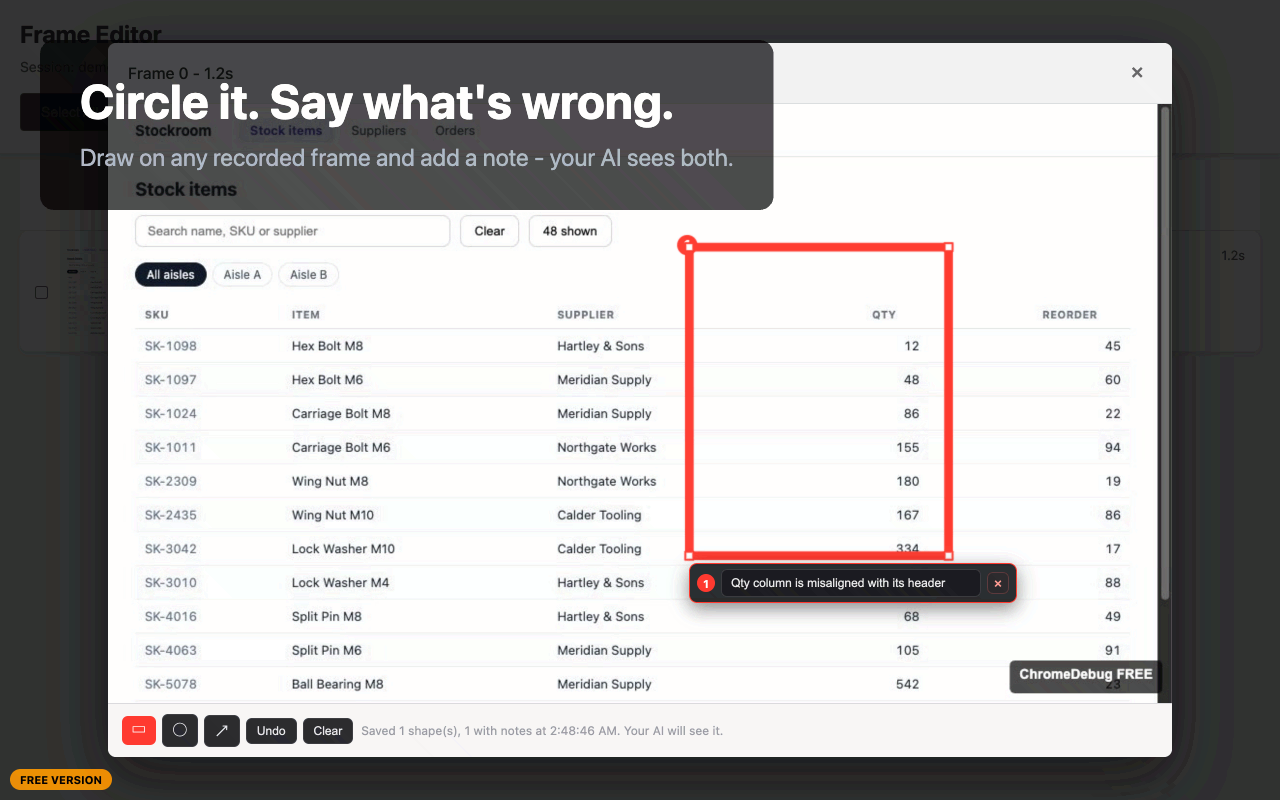
Numbered shapes and notes give the AI a precise reference on the frame.
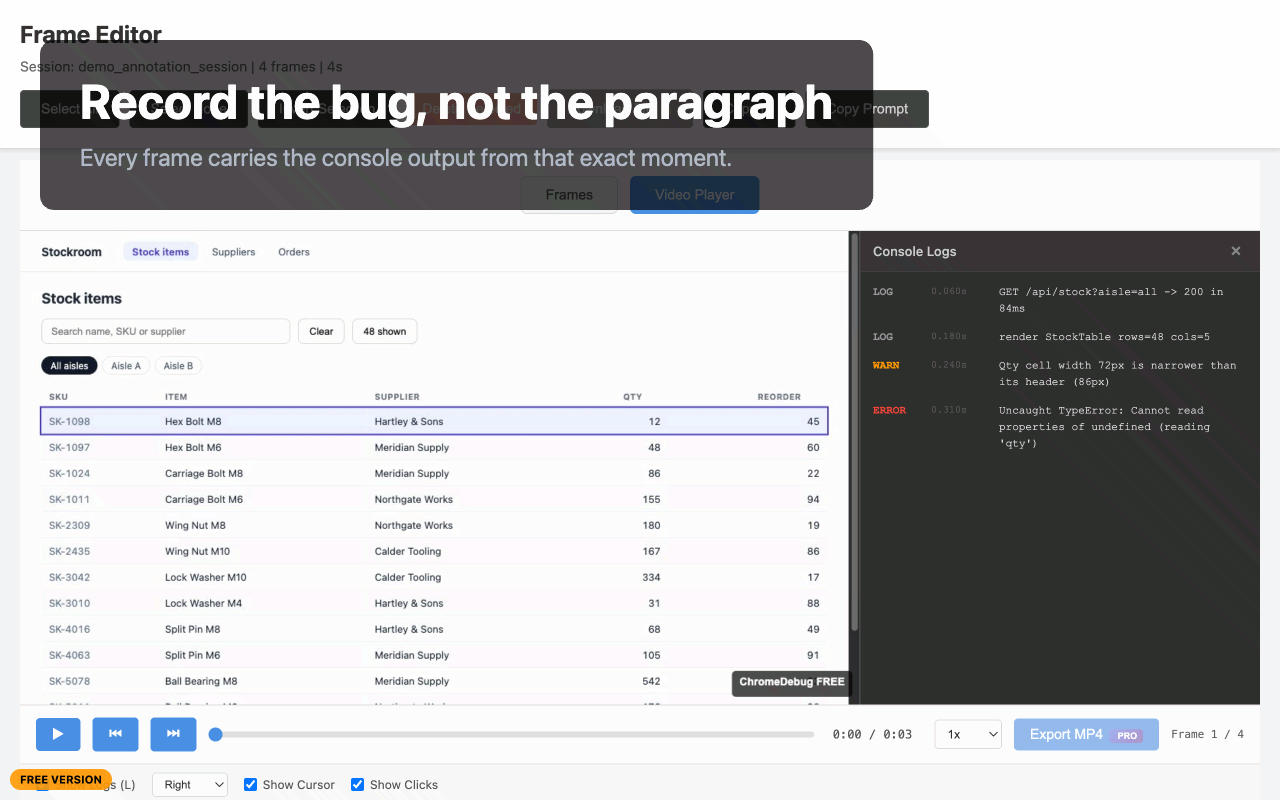
Review the recording with console output alongside the captured frames.
Product screenshots use demo data. Free recordings display a watermark; PRO removes it.
Four recording modes, plus quick screenshots. All available in the free trial.
Capture clicks and inputs as a sequence, with console logs and optional screenshots per action.
For bugs with a specific sequenceCapture frames at regular intervals with console output attached to the recording.
For watching a problem developRecord for playback, with cursor movement and clicks drawn over the frames.
For movement and timingClick to capture, with an optional countdown to get a dropdown or tooltip into view.
For the moment that disappearsInstall the Chrome extension and companion server, then connect Claude Code. You’ll need Node.js 18 or later.
Full setup and troubleshootingnpm install -g @dynamicu/chromedebug-mcpclaude mcp add chromedebug -s user -- chromedebug-mcpRestart Claude Code after adding the server. Open the extension and check that it shows Connected.
“Look at the last ChromeDebug recording. What happened when it broke?”
One extension. Start free, then unlock PRO with a licence key. No subscription.
25 recordings to see it for yourself.
25 total recordings, not a daily allowance.
Keep recording. Keep the context.
Secure checkout through Lemon Squeezy.
Already have a key? Open the extension → I have a licence key. PRO activates in your own Chrome profile; browser windows launched with a temporary profile stay on the free trial.
ChromeDebug stores recordings on your machine, in your browser or the local companion server. No ChromeDebug account. No recording uploads. No extension telemetry.
When your assistant reads a recording, the context it reads goes to your chosen AI provider. PRO activation may make a one-time licence validation request to Lemon Squeezy.
This homepage sets no analytics cookies. If you arrive from one of our campaigns, its campaign label can accompany your checkout so we can understand which campaigns lead to sales.
Read the privacy policyTo hand recordings to your AI through MCP, yes. Screen and Video recordings and quick capture can also work in browser-only mode. Workflow and Screenshot recording modes require the companion server.
The free trial is a one-time allowance of 25 recordings, shared across browsers signed into your Google account. A quick screenshot also counts as one capture. It does not reset each day.
Your assistant can use the MCP tools to retrieve recorded frames, available interaction and console context, and the numbered notes you attach to annotations. Your chosen AI provider processes the context your assistant reads.
No. PRO is a $29.99 one-time purchase. Paste the licence key into the extension you already have to unlock unlimited recordings, watermark removal, and MP4 and ZIP exports.
PRO belongs to your own Chrome profile. A window launched by the MCP server with a temporary profile remains on the free trial. Connect your assistant to your existing Chrome profile to use your PRO licence there.
See the setup and troubleshooting guide, or email support@dynamicupgrade.com.